
Complex geometry meshing with OpenFOAM on WSL
Get started with cfMesh [Part 1]


Meshing is a tedious but crucial stage of the CFD simulation process.
It’s a pre-processing step that demands careful consideration and attention if you’re looking to achieve meaningful simulation results.
But why does it exist in the first place?
Why do we need a mesh?
Can’t we use the CAD model directly?
Well, the mesh is essentially “discretising” the domain or volume.
It’s is a way of sub-dividing the space into smaller parts for numerical calculation by a computer.


You, as a CFD user, get some control over the quality of the subsequent results.
A “bad” mesh can result in physically-incorrect results, poor spatial (position) values or even cause a simulation explosion!
cfMesh to generate complex meshes with ease
OpenFOAM has three main meshing utilities - blockMesh, snappyHexMesh and cfMesh.
When it comes to 3D geometry, cfMesh is often my first choice.
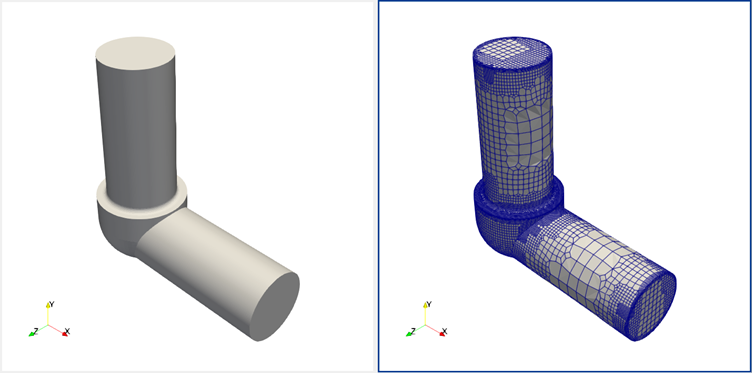
The advantages of using cfMesh include:
A single meshing utility native to OpenFOAM, uses dictionary files
No need to use blockMesh to generate a “background” mesh
Very fast - runs every job using parallel processing with all available cores
Less parameters to provide in a single dictionary file
Native polyhedral mesh generation
There’s a free open-source version and a commercial version, both essentially do the same thing except the paid one is provided with support (and a fancy GUI).
You can learn more about cfMesh here: https://cfmesh.com/cfmesh-open-source/
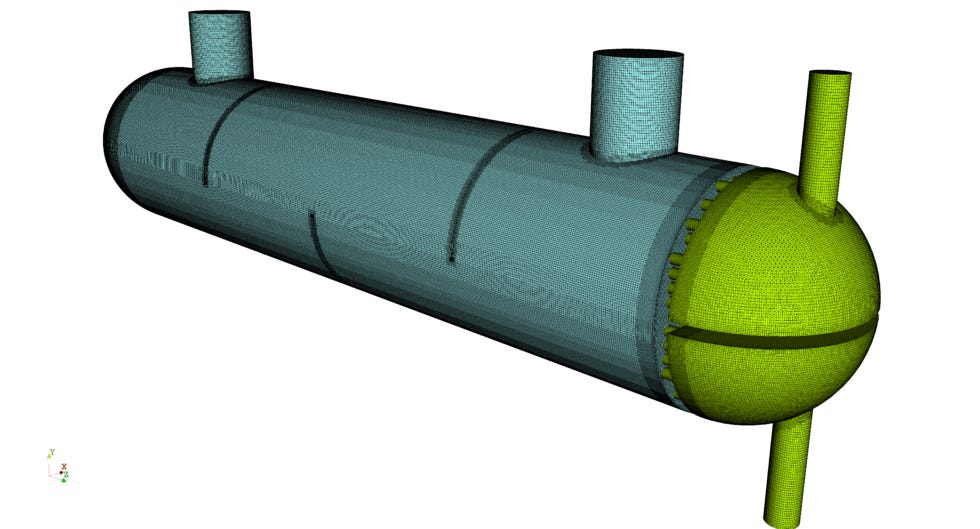
The cfMesh installation process (WSL on Windows)
The Internet is a confusing place and much of the installation advice around cfMesh is outdated / non-working.
cfMesh used to be bundled with distributions of OpenFOAM from ESI (.com version) but hasn’t since the last few releases (v2212?).
I’ve successfully setup, compiled and used cfMesh with OpenFOAM v2506.
I assume you have OpenFOAM installed and working in a Windows-based WSL environment. If not, read the following post I made earlier:

Now, let's setup cfMesh…
Ensure you’re in the a command prompt with WSL loaded:
Download the dependencies:
sudo apt update
sudo apt install build-essential cmake flex bison zlib1g-dev git
Clone the official cfMesh repository:
cd ~
git clone https://develop.openfoam.com/Community/integration-cfmesh.git
Load your OpenFOAM environment:
source /usr/lib/openfoam/openfoam2506/etc/bashrcGo to your cfMesh directory:
cd integration-cfmeshBuild it:
./Allwmake -j$(nproc)Check it works:
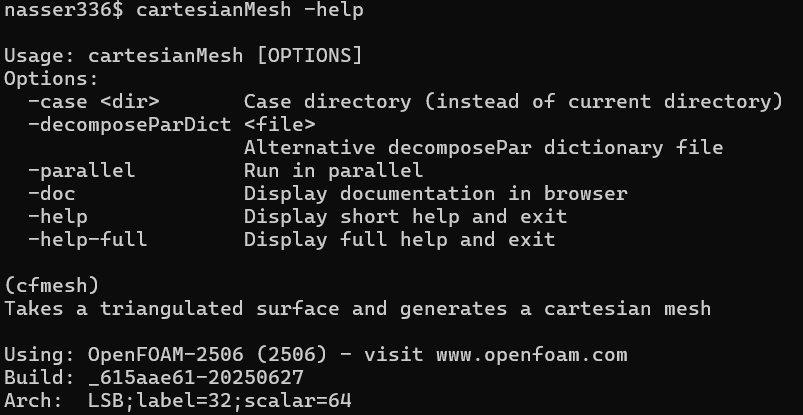
cartesianMesh -help

You should see the following displayed if successful..
🥳 Congratulations you now have cfMesh!
Exploring the tutorials
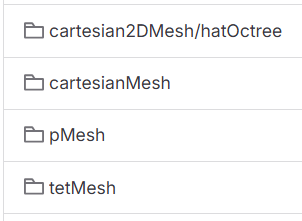
The cfMesh repository includes a Tutorials folder, organised with the type of meshes it can produce.
Within each folder you’ll find various example complete with STL geometry files.
There’s also an introduction manual in there, mostly high-level which is useful.
Next time…
cfMesh is a powerful meshing tool for OpenFOAM.
I plan to write more on cfMesh and meshing in general as it’s a topic most CFD users struggle with.
As always, thank you for reading - help me spread simulation clarity further, like and share if you found it helpful!
Until next week. 👋
Nasser
When you're ready, I can help you in other ways…
🎓 Learn about CFD, simulation and digital engineering from me daily.
Follow me on LinkedIn: https://www.linkedin.com/in/nassermushtaq/
📢 Advertise your engineering educational product or open-source tools to my fast-growing audience. I write here to 900+ subscribers and also more frequently on LinkedIn to 5000+ followers. Email me directly at: hi@nasserm.com
Disclaimer:
All content in this post and newsletter is my own production and do not reflect the opinions or positions of my employers, partners or associates.